Foundation Keycloak configuration
Keycloak is a open source identity and access management for modern applications and services.
The official site of the Keycloak.
For more information about Keycloak features and concepts, see keycloak.org/documentation.
How Tenants works with Keycloak?
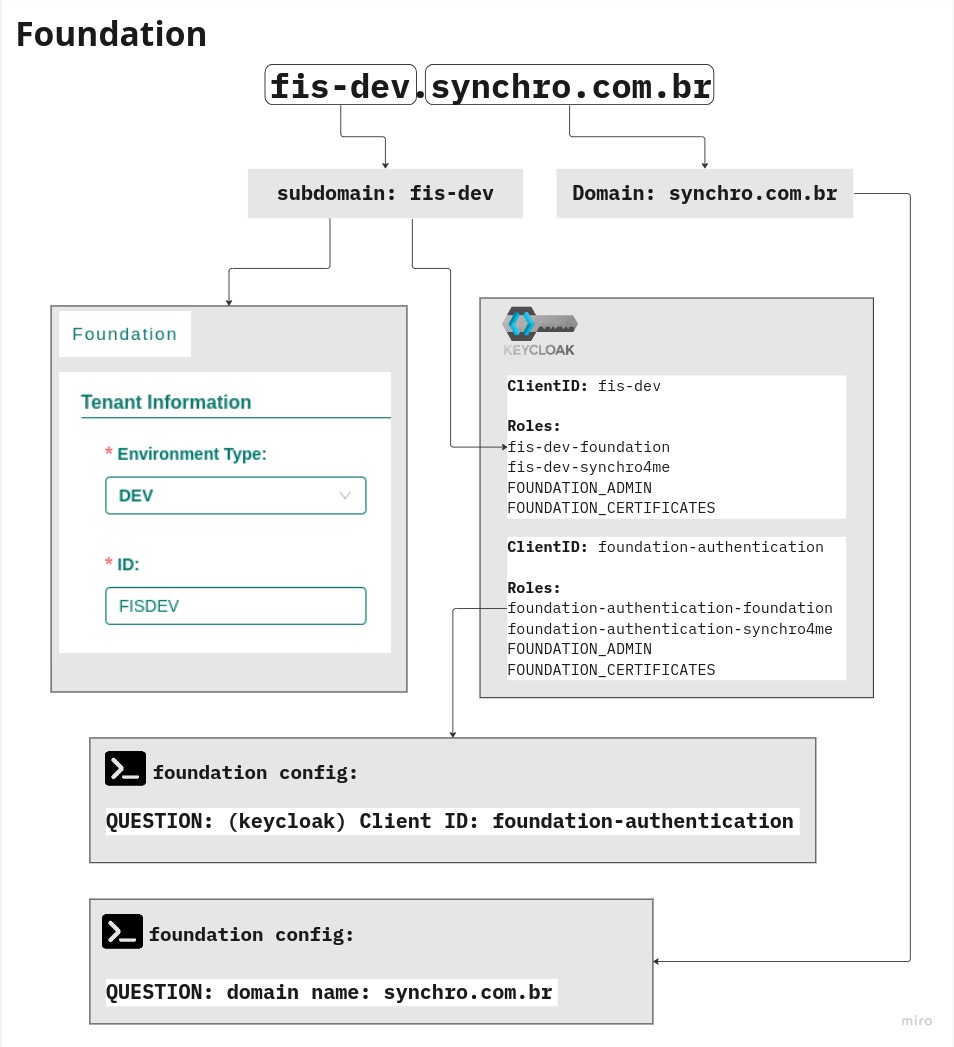
Example 1: Hyphens in subdomains
| Parts | value |
|---|---|
| URL | fis-dev.synchro.com.br |
| Subdomain | fis-dev |
| Domain | synchro.com.br |
| ClientID | fis-dev |
| Environment Type | DEV |
| TenantID | FISDEV |
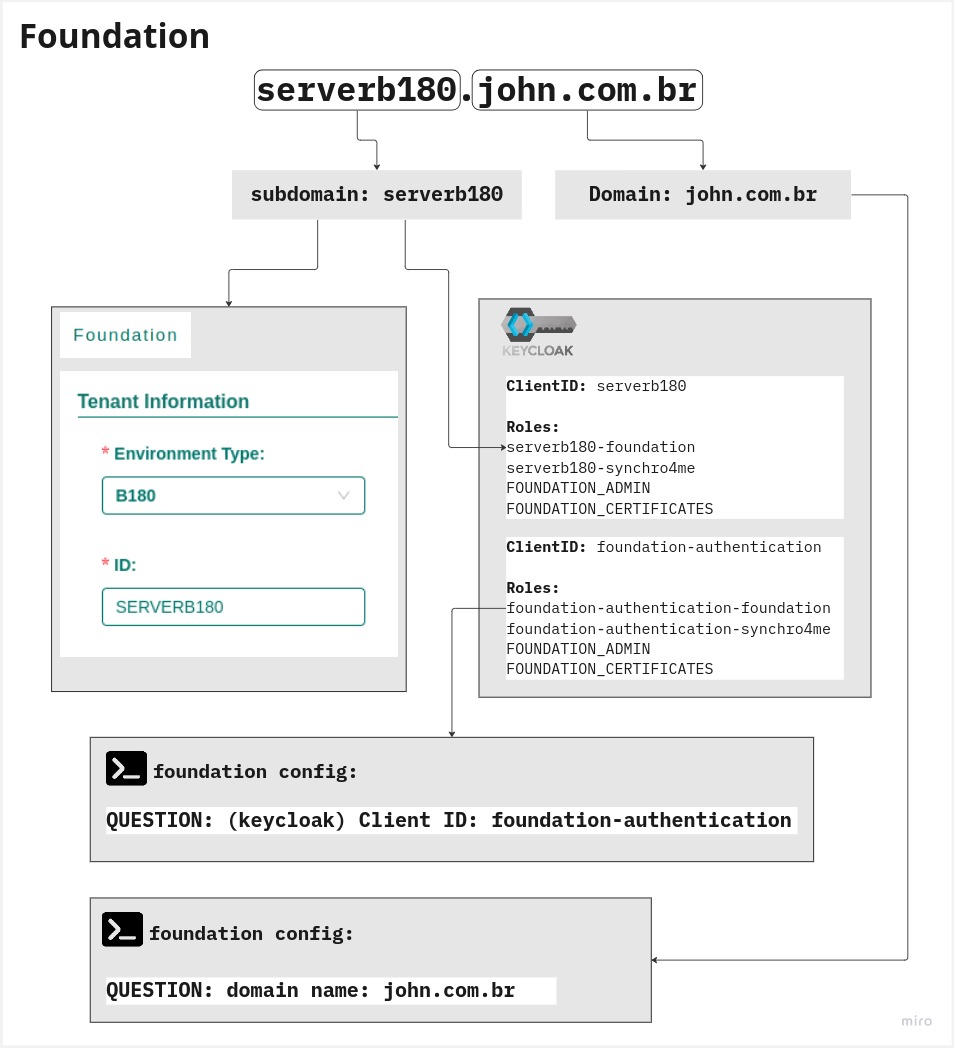
Example 2: No hyphens in subdomains
| Parts | value |
|---|---|
| URL | serverb180.john.com.br |
| Subdomain | serverb180 |
| Domain | john.com.br |
| ClientID | serverb180 |
| Environment Type | B180 |
| TenantID | SERVERB180 |
On-cloud
Nothing to do.
If you have any doubts or want information you may always contact cloud team by email: operacaocloud@synchro.com.br.
On-premises
The Initial Setup is started automatically, check default values here
Procedure
-
Access Foundation View.
1.1 Do Foundation Login.
1.2 Create or check a Tenant environment.
1.3 Create a Tenant.
-
Do Keycloak Login.